Conquest Tactical
Instructions:
Mouse click or tap to playDescription
Conquest Tactical Strategy Guide
Score-Boosting Tactics
Positioning is basically everything here, and you'll figure that out fast once you lose your first foothold to an enemy who just happened to click faster. Don't just charge at whatever's closest. Take a beat, scan the map, and grab the spot that gives you the widest angle on enemy territory before committing. Small pushes tend to work better than one big reckless rush, since spreading your attention too thin leaves gaps that the opposition loves to slip through. Once you've got a solid patch of ground locked down, use it as a launchpad instead of sitting still, because standing pat just invites a counterattack. The strongest players aren't the ones clicking the most, they're the ones reading the board a step ahead and grabbing advantageous ground before the enemy even realizes it's up for grabs.
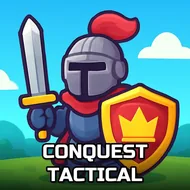
The setup is simple on paper: two sides, one contested stretch of territory, and a slow tug-of-war over who controls more of it. You're pushing forward, claiming positions, and trying to squeeze the enemy line back until there's nowhere left for them to hold. It plays out in 3D, so depth and sightlines actually matter, not just left-and-right movement, and the arcade pacing keeps rounds short enough that a bad start doesn't feel like a lost cause. Casual on the surface, sure, but there's a real defensive puzzle underneath once the map gets contested on both flanks at once.
Control Scheme
- Click or tap to issue orders and claim territory
- No keyboard needed, everything runs through mouse or touch input
- Quick taps work for fast decisions, so hesitation costs you ground
- Works equally well on desktop with a mouse or on a touchscreen device
- Simple enough to pick up in seconds, but timing your clicks well takes some practice