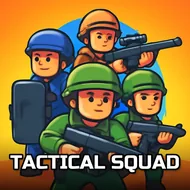
Tactical Squad
Instructions:
Aim - Drag mouse cursor finger around Shoot - Left mouse button Tap the red buttonDescription
Tactical Squad Casual Fun Guide
There's something weirdly calming about lining up a shot from way, way back while stickmen wander around none the wiser. Tactical Squad strips sniping down to its bare bones, no cover systems, no loadouts to fuss over, just you, a scope, and a target that needs to disappear. It's the kind of game you open for two minutes and somehow close forty minutes later, wondering where the time went.
Highlights
- Sniper zoom mechanic that lets you scan the whole map before committing to a shot.
- Stickman targets that force you to actually pay attention instead of spraying blindly.
- Bite-sized missions that fit into a coffee break or a bus ride, no huge commitment needed.
- Clean, no-frills action that leans on timing and patience rather than reflex spam.
- A steady rhythm of aim, breathe, fire that scratches that satisfying one-shot itch.
How To Play
- Drag your mouse cursor, or your finger on touch devices, to sweep the scope across the area and hunt for your target.
- Take a beat before pulling the trigger. Zoom too fast and you'll blow past the stickman without even noticing.
- Click the left mouse button, or tap the red button on mobile, once your crosshair sits dead on the mark.
- Watch for movement patterns. Some targets stay still, others shuffle around just enough to mess with your aim.
- Reset your angle after every shot. A calm, deliberate scan beats frantic flicking almost every single time.
None of this reinvents the sniper genre, and honestly, it doesn't need to. The appeal sits in that quiet click-and-confirm loop, the little jolt of satisfaction when a distant target drops right where you called it. Sound off, headphones on, and suddenly you're locked in like it's an actual stakeout. Give it a shot when you've got a few spare minutes and nothing else demanding your attention, it fills that gap better than scrolling ever does.