Duck Contest
Instructions:
Use mouse or touch the screenDescription
Duck Contest Browser Game Analysis
Highlights
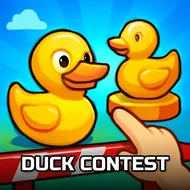
The carnival-style shooting gallery setting gives this one an immediately familiar, welcoming feel, recreating the classic fairground duck-shooting attraction in a format that works just as well in a browser as it does at an actual fair. Moving targets in the shape of ducks cross the screen at a steady, predictable pace early on, giving newcomers plenty of time to get comfortable with the aiming mechanic before things speed up in later rounds.
What keeps repeated sessions interesting is the simple but satisfying rhythm of tracking a moving target, timing a shot, and watching the score climb with each successful hit. There's no elaborate story or mission structure layered on top, just a clean, arcade-style test of hand-eye coordination that rewards a steady, patient approach over rushed, careless clicking.
Key Combinations
- Use the mouse to aim your sight, or tap directly on a target on mobile.
- Click or tap precisely on a moving duck to register a successful hit.
- Track a duck's movement pattern for a moment before committing to a shot.
- Prioritize closer, faster-moving ducks before targets further in the background.
- Keep your aim steady between shots rather than jerking the cursor across the screen.
That familiar carnival framing, combined with a genuinely satisfying click-to-hit feedback loop, makes this an easy pick for a short break, since a single round rarely takes more than a couple of minutes to finish from start to end. Younger players in particular tend to gravitate toward this kind of format, since the clear visual feedback of a successful hit makes progress easy to understand without needing to read any instructions first.