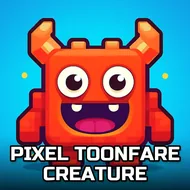
Pixel Toonfare Creature
Instructions:
wasd- walk mouse-shooting aim tab-menuDescription
Pixel Toonfare Creature FAQ and Tips
Blocky graphics, big crowds, and a whole lot of gunfire — that's the pitch here. Pixel Toonfare Creature drops you into a Unity3D shooter packed with players from all over, and instead of one clean objective, you get sprawling matches where everyone's chasing kills, loot, and a bit of chaos. The cartoonish look almost tricks you into thinking it's casual, but the gunfights get scrappy fast once players start flanking with rocket launchers instead of playing it safe with a rifle.
Top Tips
Don't rush into open ground your first few matches, since the pixel art can make distances trickier to judge than you'd expect. Spend some early rounds just learning sightlines before worrying about kill counts. Weapons unlock as you climb through levels, so there's no need to grind out cash to try a sniper rifle or something louder like a rocket launcher — just keep playing and the arsenal opens up naturally. Attachments matter more than they look like they would at first; a suppressor changes how you approach a whole map, and scopes make cross-map sniping actually viable instead of a guessing game. If trading is available on the marketplace, hang onto duplicate skins or gear instead of ignoring them, since other players might want exactly what you're sitting on. And check the menu between matches — new cosmetics and loadout options tend to sneak in without much fanfare.
How To Play
- Move around with WASD, adjusting position as fights shift.
- Aim and fire using the mouse, keeping an eye on recoil with heavier weapons.
- Open TAB to pull up the menu, where character and weapon customization live.
- Swap playstyles between sniping from range and pushing aggressively with rockets.
- Unlock attachments like scopes and suppressors as you rack up shots and progress.
- Visit the marketplace to trade skins and accessories with other players.